
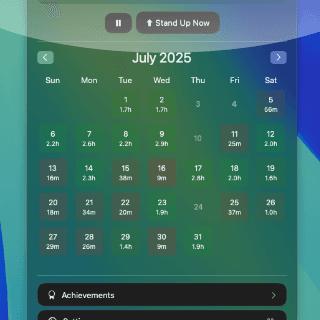
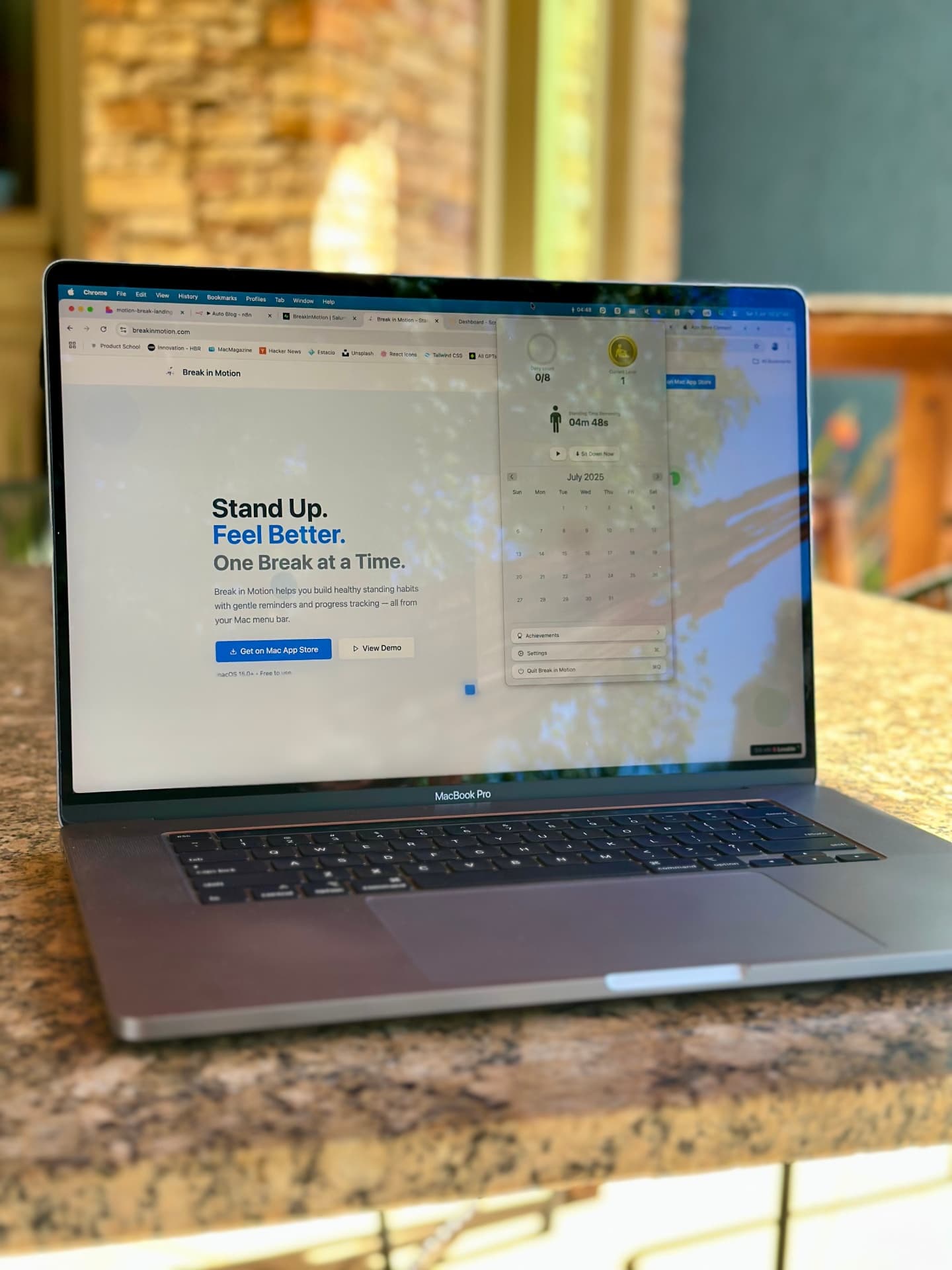
Your month, at a glance
A calendar shows how long you stood each day, so you can spot the slumps and the streaks. Free keeps the last 7 days; Pro keeps everything.
Stand-up & break reminder for Mac
Break in Motion tells you when to stand up, how long to stay on your feet, and when to sit back down. Start with 5 minutes an hour and level up as the habit sticks.
Sitting time remaining
19m 45s
↑ Live demo — press “Stand Up Now”
A tiny Mac app that breaks up long sitting sessions. It runs a sit/stand cycle from your menu bar, nudges you with a notification at each switch, and slowly grows your standing time from 5 to 55 minutes an hour.
How it works
Each level is a 60-minute cycle. Level 1 is 55 minutes sitting and 5 standing — an easy start for anyone.
A quiet notification tells you when to stand and when to sit. The countdown is always visible in your menu bar.
Hit 5 stands a day for 5 days and the app adds 5 more minutes of standing. Your streak and history keep you honest.
Try it · drag the level
1 cycle = 60 min
Sitting per hour
55min
Standing per hour
5min
Standing in an 8-hour day
0.7h
To level up
5days with 5+ stands
| Level | Sitting / hour | Standing / hour | Standing in an 8-hour day |
|---|---|---|---|
| Level 1 | 55 min | 5 min | 0.7 h |
| Level 2 | 50 min | 10 min | 1.3 h |
| Level 3 | 45 min | 15 min | 2 h |
| Level 4 | 40 min | 20 min | 2.7 h |
| Level 5 | 35 min | 25 min | 3.3 h |
| Level 6 | 30 min | 30 min | 4 h |
| Level 7 | 25 min | 35 min | 4.7 h |
| Level 8 | 20 min | 40 min | 5.3 h |
| Level 9 | 15 min | 45 min | 6 h |
| Level 10 | 10 min | 50 min | 6.7 h |
| Level 11 | 5 min | 55 min | 7.3 h |
The science, briefly
At least every 30 to 60 minutes. Short, frequent breaks beat one long one. Research points to a few minutes of standing or light movement every half hour, building up to around two hours of standing and light activity across a workday.
5 min
every 30 min
Light walking every half hour was the only routine that significantly lowered both blood sugar and blood pressure during 8 hours of sitting.
58%
smaller sugar spikes
The same 5-every-30 routine cut post-meal blood-sugar spikes by 58% compared with sitting all day.
2 → 4 h
per workday
An international expert panel recommends office workers build up to 2 hours of standing and light activity a day, then 4.
The WHO also advises adults to limit sedentary time and replace it with activity of any intensity. Break in Motion gives you the structure to do it — Level 1 starts at 5 minutes per hour. It is a habit tool, not a medical device; talk to a professional about pain or health conditions.
Features
A calendar shows how long you stood each day, so you can spot the slumps and the streaks. Free keeps the last 7 days; Pro keeps everything.
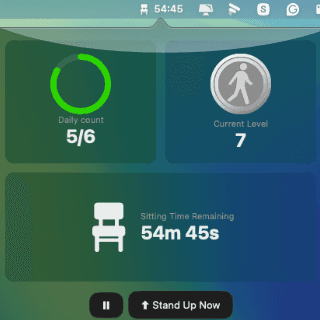
No dock icon, no window to lose. One click shows your count, level and countdown.
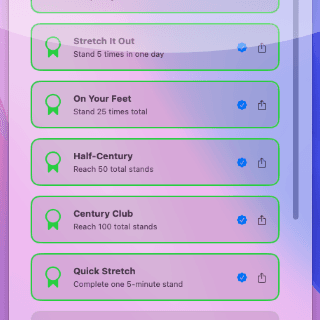
Little wins that make the habit stick.
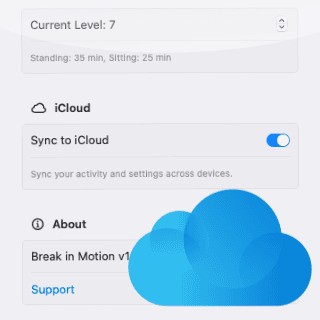
Start on your MacBook, continue on your iMac. History, streak and achievements follow your Apple Account.
Native macOS notifications. No full-screen takeovers.
In a meeting? Pause, or stand up early with one click.
Follows your system appearance automatically.
Private by design
Install and go. Your Apple Account is your identity.
Stored on your Mac and in your private iCloud. We can’t see it.
No ads, no trackers, no third-party SDKs.
Compared
The Watch asks you to stand for a minute each hour. Break in Motion runs the whole sit/stand rhythm for desk work — and keeps raising the bar.
| Feature | Break in Motion | Apple Watch Stand | Generic timer |
|---|---|---|---|
| Works on your Mac, no extra device | Yes | Needs Apple Watch | Yes |
| Tells you when to stand and when to sit back down | Yes | No | Manual |
| Standing time that grows with you | 5 → 55 min/h | 1 min/h | No |
| Daily goal, streaks & achievements | Yes | Yes | No |
| Calendar of sitting vs standing time | Yes | Stand hours only | No |
From people who stand more now
“I've finally stopped sitting for 3 hours straight. The gentle reminders fit perfectly into my workflow.”
“The progress tracking is addictive in the best way. I actually look forward to my movement breaks now.”
“Simple, beautiful, and effective. It's become an essential part of my daily routine.”
Pricing
Everything you need to start moving.
$0forever
Starts with a free trial. Cancel anytime in the App Store.
$4.99per year
Pay once, keep Pro forever. No subscription.
$19.99one-time
Download free and upgrade inside the app. Prices in USD; the App Store shows your local price. Purchases and refunds are handled by Apple.
Break in Motion is a stand-up and break reminder app for Mac. It lives in the menu bar, times your sitting and standing periods, and nudges you with a notification when it is time to stand up or sit back down. It tracks your daily goal, streak, history and achievements, and syncs through iCloud.
Most guidance says to break up sitting at least every 30 to 60 minutes. A 2023 Columbia University study found that 5 minutes of light walking every 30 minutes offset much of the blood-sugar and blood-pressure impact of prolonged sitting, and a 2015 expert statement in the British Journal of Sports Medicine recommends building up to 2 hours of standing or light activity per workday. Break in Motion starts at 5 minutes of standing per hour (Level 1) and lets you progress gradually.
Each hour-long cycle is split between sitting and standing. Level 1 is 55 minutes sitting and 5 minutes standing; every level adds 5 minutes of standing, up to Level 11 (5 minutes sitting, 55 standing). After 5 days with at least 5 stands, the app moves you up a level automatically. You can also pick any level yourself.
Yes. The download is free and includes the menu bar timer, all levels, your daily goal, streaks, the last 7 days of history and the first achievements. Pro adds unlimited history and all achievements, either as Pro Yearly ($4.99/year with a free trial) or Pro Lifetime ($19.99 once). Prices are in USD; the App Store shows your local price.
No. There is no sign-up and no login. Your data is stored on your Mac and in your private iCloud account, and purchases are handled by the Mac App Store.
Yes. History, settings, streak and achievements sync automatically through iCloud to every Mac signed in to the same Apple Account.
Break in Motion requires macOS 15.2 (Sequoia) or later and runs natively on Apple silicon and Intel Macs.
The Apple Watch reminds you to stand for one minute if you have not moved by 10 minutes before the hour. Break in Motion runs a full sit/stand cycle on your Mac — it tells you when to stand, how long to stay up, and when to sit back down — and progressively increases your standing time. It is built for people working at a desk or standing desk, and it does not need a watch.
No. The app has no analytics, no ads and no accounts. Notifications are generated locally on your Mac, and your activity lives in your own iCloud, which we cannot access.
Free on the Mac App Store. No account. Set up in ten seconds.